The nTier Platform
One Workspace. Three Places Your Data Can Go - And You Always Know Which One It Used.
Every AI request in nTier passes through a routing decision before it touches a model. Here's exactly how.
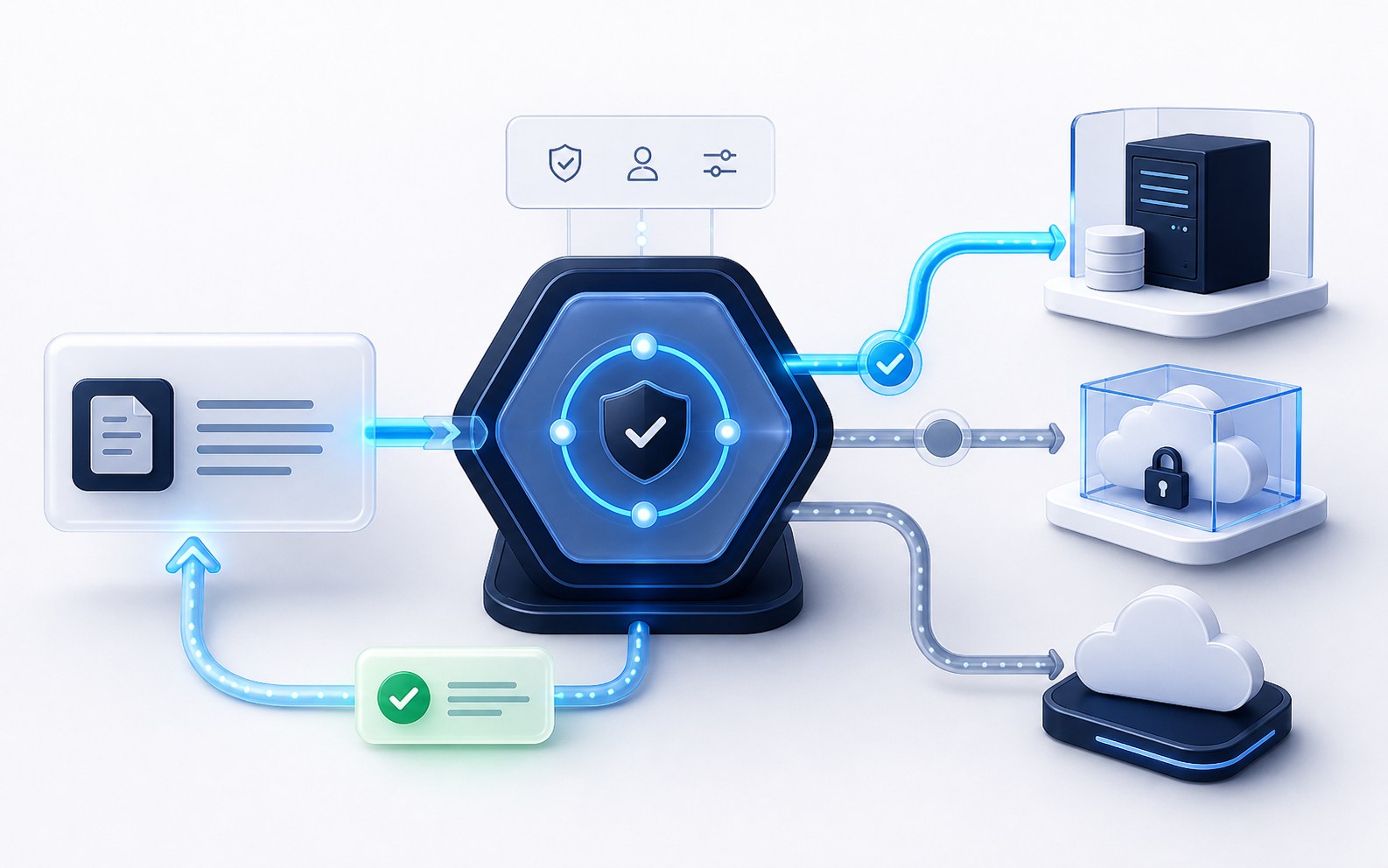
AI request
Review this matter
AI Residency
Local. Private. Public. You Never Choose - But You Always See.
Local AI
Runs entirely on your firm's own on-premise hardware. Used automatically for privileged and highly sensitive matter content, which never leaves your network.
Private AI
Runs in an isolated, firm-specific cloud environment. Used for client-confidential material that isn't privileged.
Public AI
Frontier AI models and your subscribed LegalTech platforms. Used only once content is confirmed non-confidential.
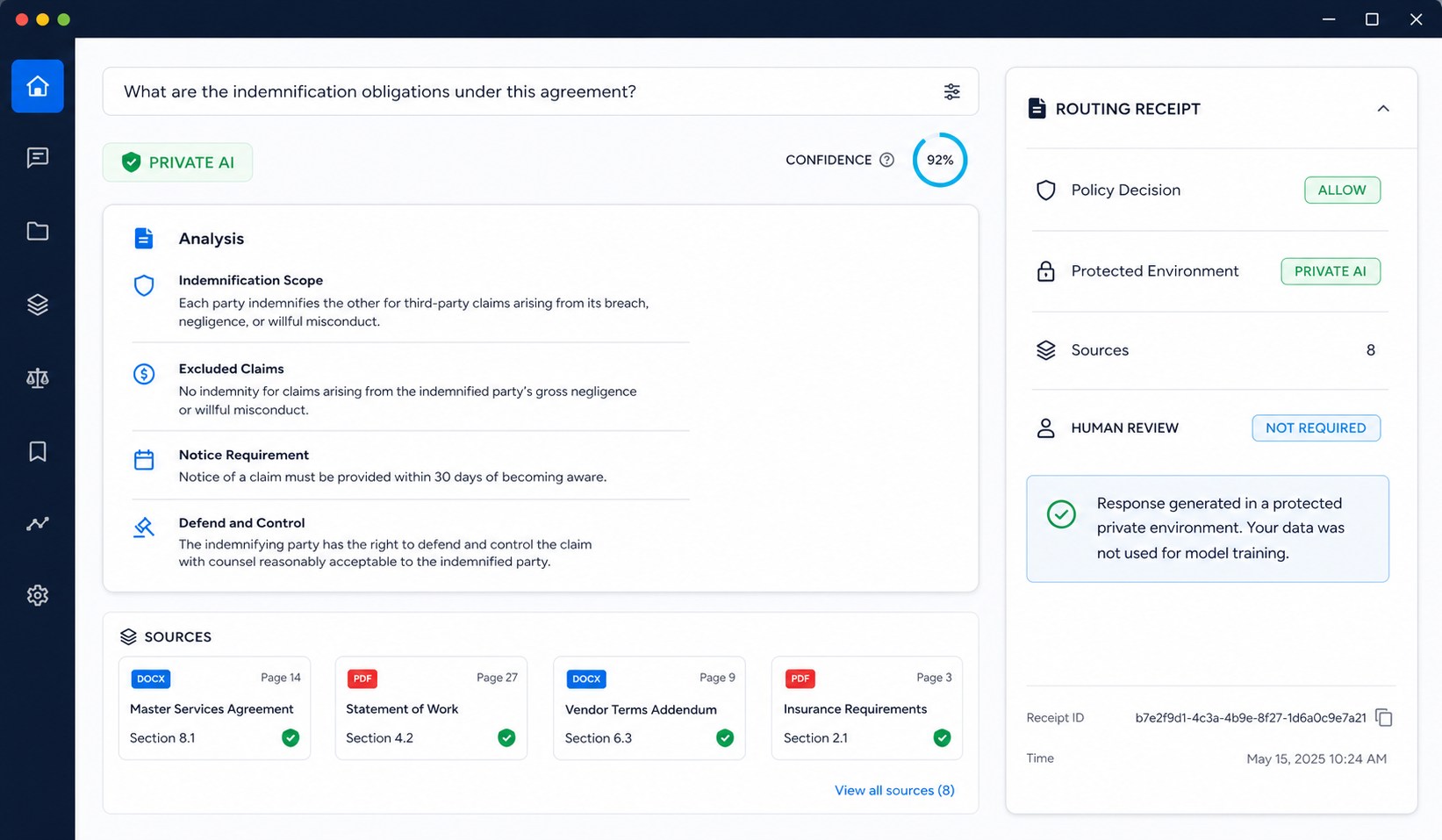
Every screen that uses AI shows a residency badge - so “where did this run” is never a question you have to ask support.
How a request is routed
What Happens Between Your Question and Your Answer
- 1
Your request is checked for privilege, confidentiality, and sensitive data - before any AI model sees it.
- 2
Based on that check and your firm's own policy, nTier picks the safest environment capable of doing the job.
- 3
If the task is complex, nTier may use more than one AI step to get it right - research, then drafting, then a final check.
- 4
If the result is high-stakes, it's held for a person to approve before it goes anywhere.
- 5
Your answer arrives with its source, its confidence, and where it ran, attached.
Feature tour
One Workspace for the Complete Matter
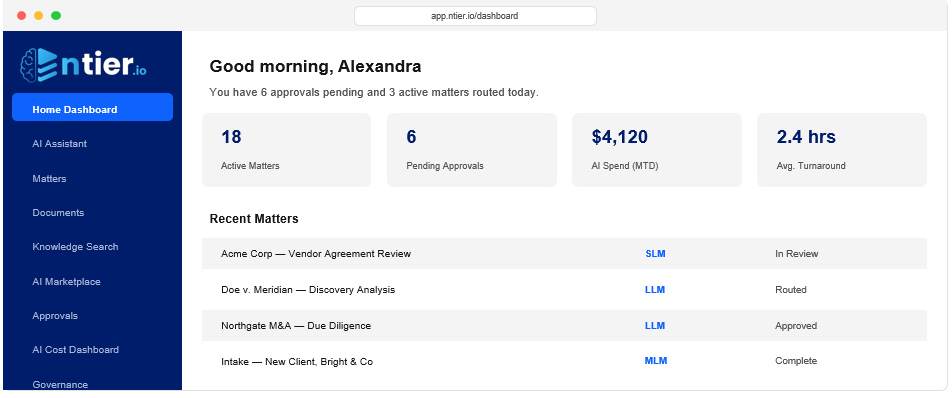
Home Dashboard
Your day starts here - recent matters, pending approvals, and a direct line to the AI.
AI Assistant
Ask questions and get drafts, scoped to the matter you're working, with sources attached.
Matter Workspace
Every matter's complete record - timeline, key facts, and exactly which sources nTier can see.
Document Review
Clause-level risk flags and AI-suggested redlines, checked against your own playbook.
Knowledge Search
One search across your internal knowledge base and your subscribed research tools.
AI Marketplace
Your existing tools - Westlaw, iManage, Clio, and more - connected and orchestrated automatically.
AI Cost Dashboard
Real-time AI spend, broken down by matter, practice area, and which tier handled it.
Governance
An unalterable record of every AI action, ready to export for a client or bar inquiry.
Approvals
Where AI actions above your risk threshold wait for a human decision.
Administration
Your firm's AI Routing Policy - the rules that decide what's safe - in your control.
Governance & Approvals
Nothing Happens Without a Trail - Or, When It Matters, a Human
Every routing decision, every AI action, every approval is logged the moment it happens - not reconstructed later. High-risk actions don't go out the door until someone signs off.
Talk to Security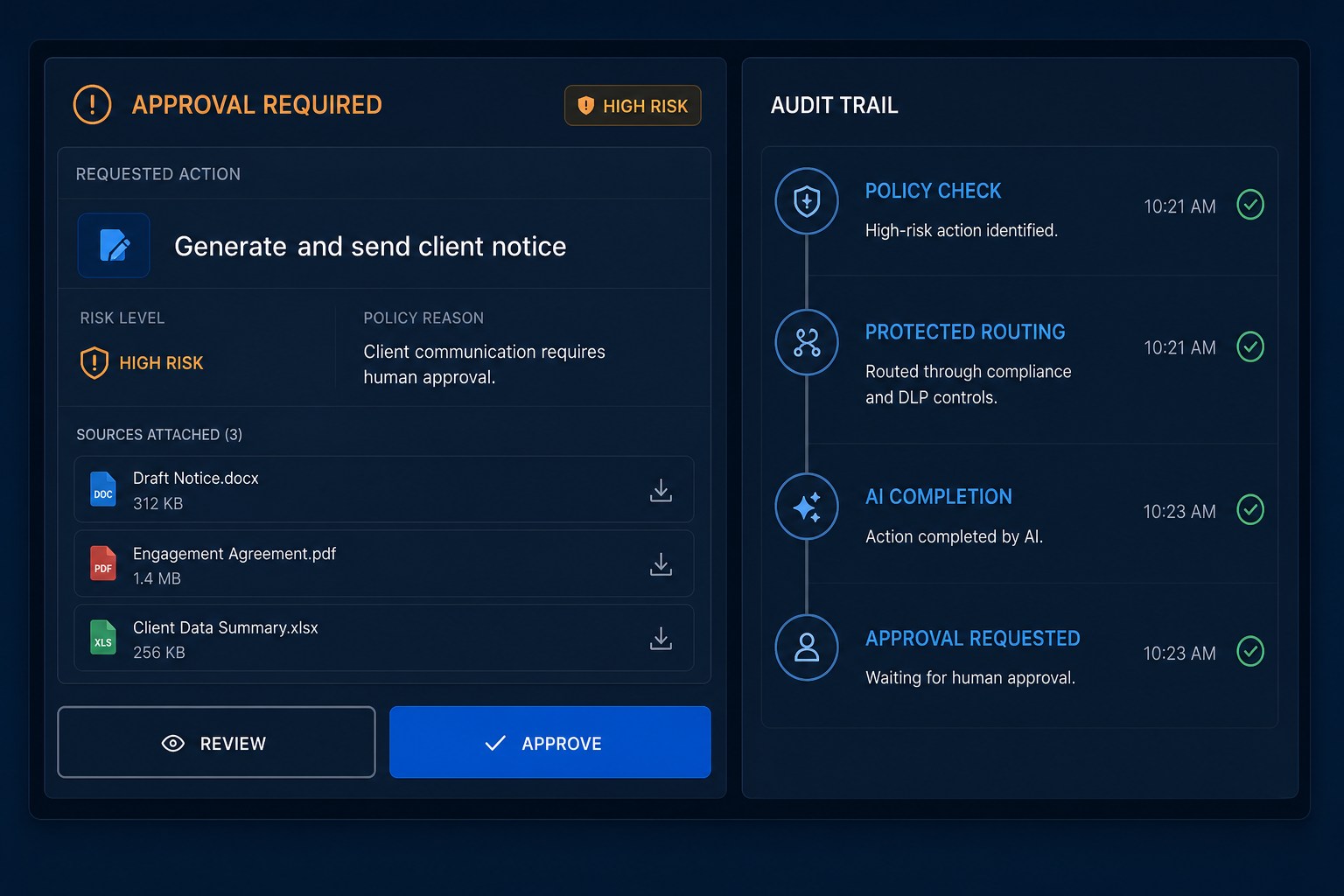
Governance log
Matter 24-1187
Routing policy applied
Privileged content · Local AI
Human approval required
High-stakes external action
Approved and released
Source and confidence attached
Integrations
Works With What You Already Pay For
iManage, NetDocuments, Clio, Westlaw, Lexis+, Relativity, DISCO, Harvey, CoCounsel, and Copilot - connected, not replaced.